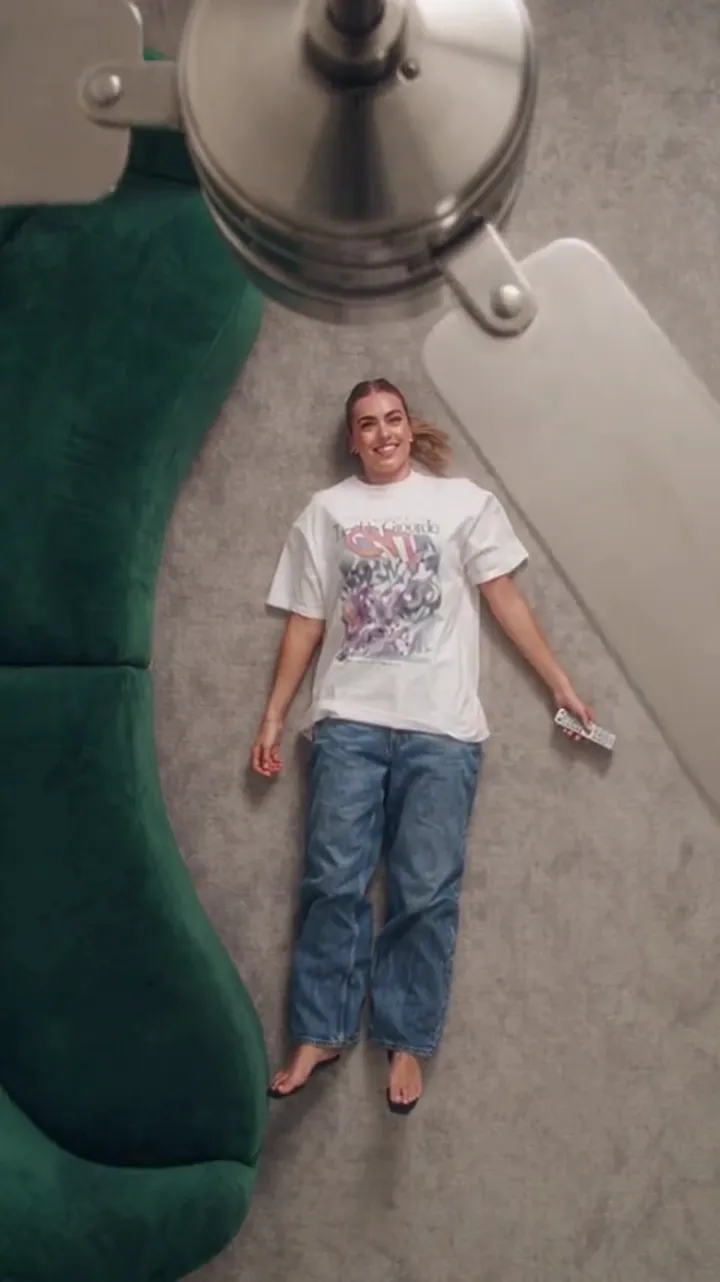
Pixazo AI Alternative: One Effect vs a Tool Catalogue
A structural comparison of Pixazo's fan transition trend page and Ceiling Fan AI: what each takes as input, what it returns, and who each one suits today.
Ceiling Fan AI editorial team · Updated October 12, 2026
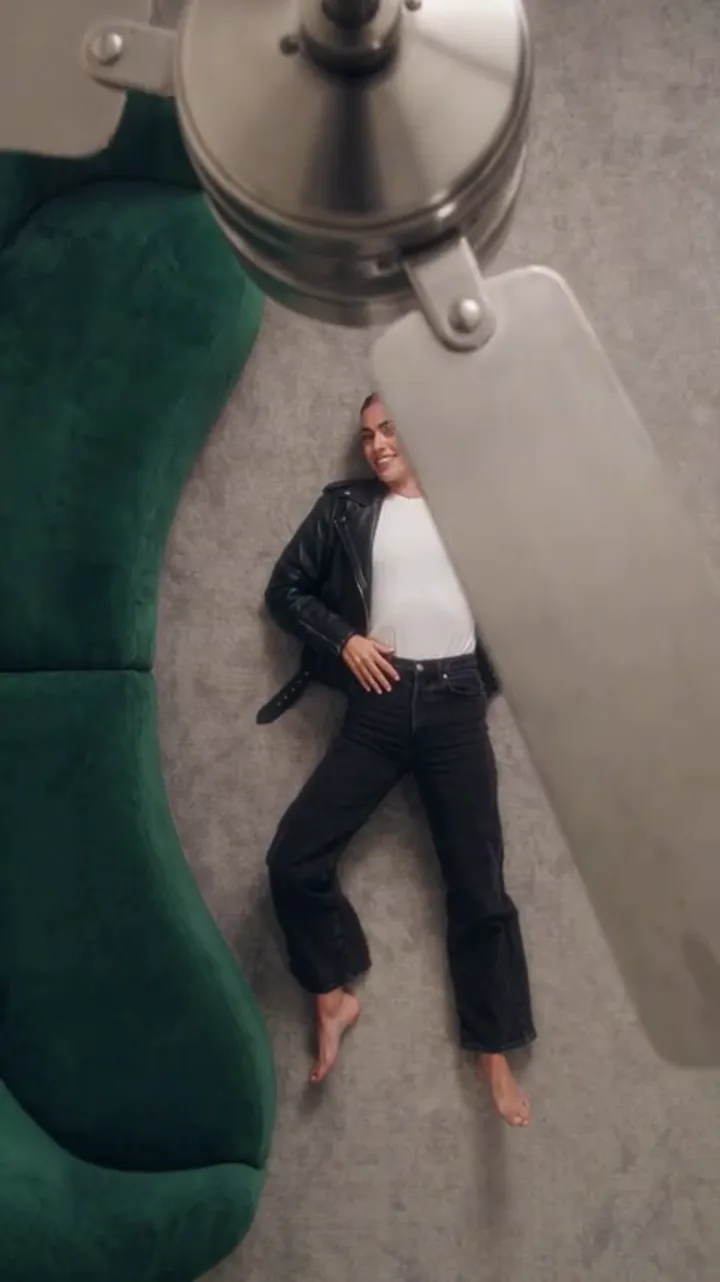
If you searched for a "Pixazo AI alternative", you are probably comparing two things that look similar on a search results page and behave differently once you use them. Both can turn a photo into a clip where a ceiling fan blade wipes across the frame and the outfit changes. The difference is what sits around that effect: Pixazo is a catalogue of AI tools, and Ceiling Fan AI is one effect built as a small product.
This comparison is structural on purpose. It covers what each one takes as input, what it returns, how pricing is presented, and who each one suits — the things you can verify yourself before spending anything. Nothing here is a ranking, and Ceiling Fan AI is not affiliated with Pixazo. The two are separate products from separate companies.
What Pixazo is, structurally
Pixazo is a multi-tool AI site. Its home page presents an agent that routes a request to one of a large number of image, video and audio models, and it also sells API access for developers. A trend like the fan transition appears as one page inside that catalogue, sitting alongside other trending effects, each with its own entry point.
That structure has real advantages. You are not committing to a single effect; if the fan transition is not what you need that week, the same account covers other tools. For someone exploring several trends in a month, one account in one place is simpler than five.
It also means the fan transition page is one page among many, and the terms attached to it — what it asks for, what it returns, what it costs, whether the output is watermarked — are stated by Pixazo on that page. Read them there, because they are theirs to set and they can change between visits. We are not going to quote their numbers back to you, partly because we would be guessing next month's.
What Ceiling Fan AI is, structurally
Ceiling Fan AI sells exactly one effect. You upload one clear photo of a person, optionally add up to four outfit photos or describe the outfits in text, and the site generates a short vertical video in which a spinning fan blade wipes across the frame and the person is wearing a different outfit on each pass.
The scope is narrow by design in three ways that you can check before you pay:
- One model. Standard Seedance 2.0 through kie.ai. You cannot switch models, and you are not choosing between quality tiers.
- Two lengths. 6 or 12 seconds. No 20-second or 60-second option.
- Three shapes. 9:16, 1:1 and 16:9.
The upside of narrow scope is that the fixed parts of the recipe — camera, blade wipe, identity rule — do not need to be described, tuned, or re-learned. The text box takes a wardrobe list rather than a shot list.
The comparison, side by side
| Question | Pixazo | Ceiling Fan AI |
|---|---|---|
| What it is | A catalogue of many AI tools with a fan transition page inside it | A single-effect product for one transition |
| Input | A photo, as the trend page asks for; other tools on the site take text or media | One person photo, plus up to four outfit photos or a written wardrobe list |
| Output | A generated video from that tool | A 6- or 12-second video in 9:16, 1:1 or 16:9 |
| Where the recipe lives | In the tool page you open | In a fixed preset; only the outfit list is yours |
| Pricing presentation | Set by Pixazo and stated on their pages, as part of a catalogue | Credits with published pack and subscription totals, listed per clip |
| Downloads | As stated by Pixazo | Included once the generation is charged — no watermark, no unlock fee |
| Who it suits | People trying several trends and tools, and developers wanting APIs | People who want this one clip to work, repeatedly, with a known cost |
How pricing is presented matters more than the number
The two sites price differently in kind, not just in amount, and the difference shows up after the first week.
Ceiling Fan AI prices in credits against a stated clip. A default generation is 1080p for 12 seconds and costs 30 credits. The "standard video" quoted on the pricing cards is 720p for 12 seconds and costs 10 credits. One-time packs never expire: Single is 10 credits at $9.90, Duo Pack is 30 credits at $19.90, Party Pack is 100 credits at $39.90, Crew Pack is 250 credits at $79.90, and Studio Pack is 600 credits at $149. Subscriptions are Starter at $9.90 a month for 20 credits, Basic at $19.90 for 60, Pro at $39.90 for 200, and Studio at $79.90 for 500; yearly plans are Starter at $79 for 240 credits, Basic at $159 for 720, Pro at $319 for 2,400, and Studio at $639 for 6,000. Monthly credits expire at the end of the billing month, and yearly credits last the billing year.
Three consequences follow. You can price one clip before you buy anything. A pack you buy in a quiet month is still there in a busy one. And the clip you already paid to generate is downloadable — there is no watermark and no second unlock fee to discover at the end.
Pixazo presents its own terms on its own pages, and those may well include a free entry point for individual tools; check the specific page rather than a blog list, because trend pages get edited. What you will not get from us is a restatement of their prices.
Who each one suits
Pixazo suits a generalist. If you are making a fan transition this week, a pet portrait the next, and a product still after that, an all-tools catalogue means one account and one billing relationship instead of several.
Ceiling Fan AI suits a specialist. If the fan transition is the clip you post, and you want the same structure to come out the same way each time with a predictable cost per attempt, a single-effect tool removes every decision you do not want to make twice.
A third case splits the difference: someone who wants to try this trend once. That person is best served by whichever option lets them test the effect for free or nearly free, and by reading the terms on the page in front of them rather than trusting a comparison written by a competitor. Our own route is documented: a new email account starts at 0 credits, and the sign-in panel pays 10, 20, 30, then 10 credits a day across seven claims, so the first two claims reach 30 credits — enough for one 1080p, 12-second video. Google sign-in is not offered here.
Deciding in five steps
- Decide how many different effects you need this month. One means a single-effect tool; several means a catalogue.
- Read the input requirement on the exact page you would use, and confirm you have that photo.
- Check the output shape. If you need 9:16 for a vertical feed, confirm the tool returns vertical rather than landscape.
- Price one clip, not one month. Subscriptions look cheap per credit and expensive per unused credit.
- Check the download terms before generating, not after. Watermarks and unlock fees are the two surprises that undo a cheap price.
Limits worth stating on our side too
Ceiling Fan AI is a stylised generated transition, not a filmed wardrobe shoot. Identity and framing are preserved, but details can drift between passes — hands, the fall of fabric, small facial details — and results vary per run, so regenerating is normal rather than a defect. It is one effect, so it cannot make a talking avatar, a product ad, or a landscape shot. Results are private by default and you may choose to publish one to the gallery. Uploads are JPG, PNG or WebP, up to 10 MB each, five photos per generation.
The site is a browser tool at https://ceilingfanai.com. There is nothing to install. Ceiling Fan AI is not affiliated with Pixazo, and no partnership exists between them.
Frequently asked questions
Is Pixazo a competitor or the same product?
Separate products from separate companies. Pixazo is a multi-tool platform with a fan transition page in its catalogue; Ceiling Fan AI is a single-effect tool. Neither is affiliated with the other.
Can I use both?
Yes, and some people will. The workflows do not conflict — they are different accounts generating different clips.
Does Ceiling Fan AI offer an API?
No. It is a browser tool for making one clip at a time, not a developer platform.
Which one is cheaper?
That depends on the current terms on Pixazo's own page, which we are not going to restate, and on how many clips you make. On our side the arithmetic is fixed and public: 30 credits for 1080p at 12 seconds, 10 credits for the standard 720p 12-second clip, with pack and subscription totals on the pricing page.
Do I need to install anything for Ceiling Fan AI?
No. It runs in the browser. The app guide explains what your phone needs and how the finished clip reaches your camera roll.
What if my first generation looks wrong?
Start with the photo. What photo works for the ceiling fan transition covers lighting, framing and face visibility, and the prompt guide shows how the wardrobe list changes the result.
Where to go next
Two other comparisons in the same structural format are worth reading if you are still deciding: Higgsfield and Google Flow. If you want to understand the effect itself first, start with how the ceiling fan trend spreads on TikTok, then check the pricing page for the exact credit totals.