What Is the Ceiling Fan Transition Trend? A Full Guide
What is the ceiling fan transition trend? How the blade-wipe outfit change started, why it reads as magic, and why every version is shot vertical 9:16.
Ceiling Fan AI editorial team · Updated October 12, 2026
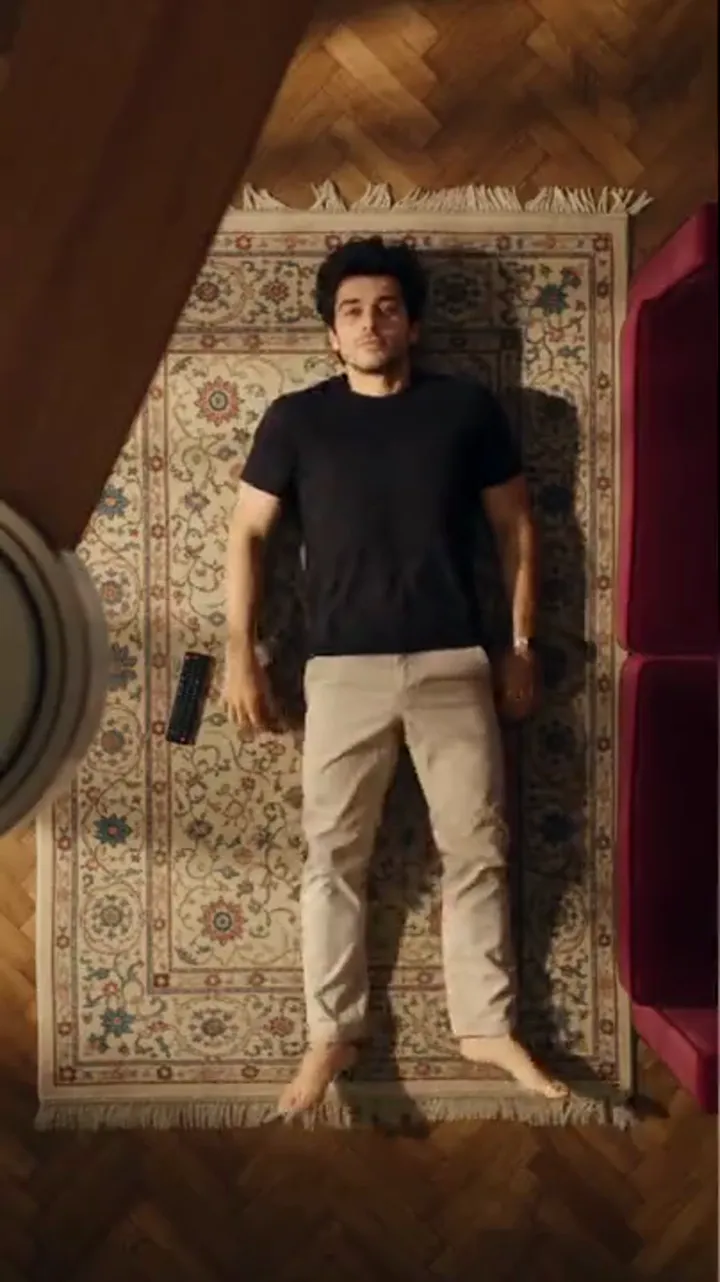
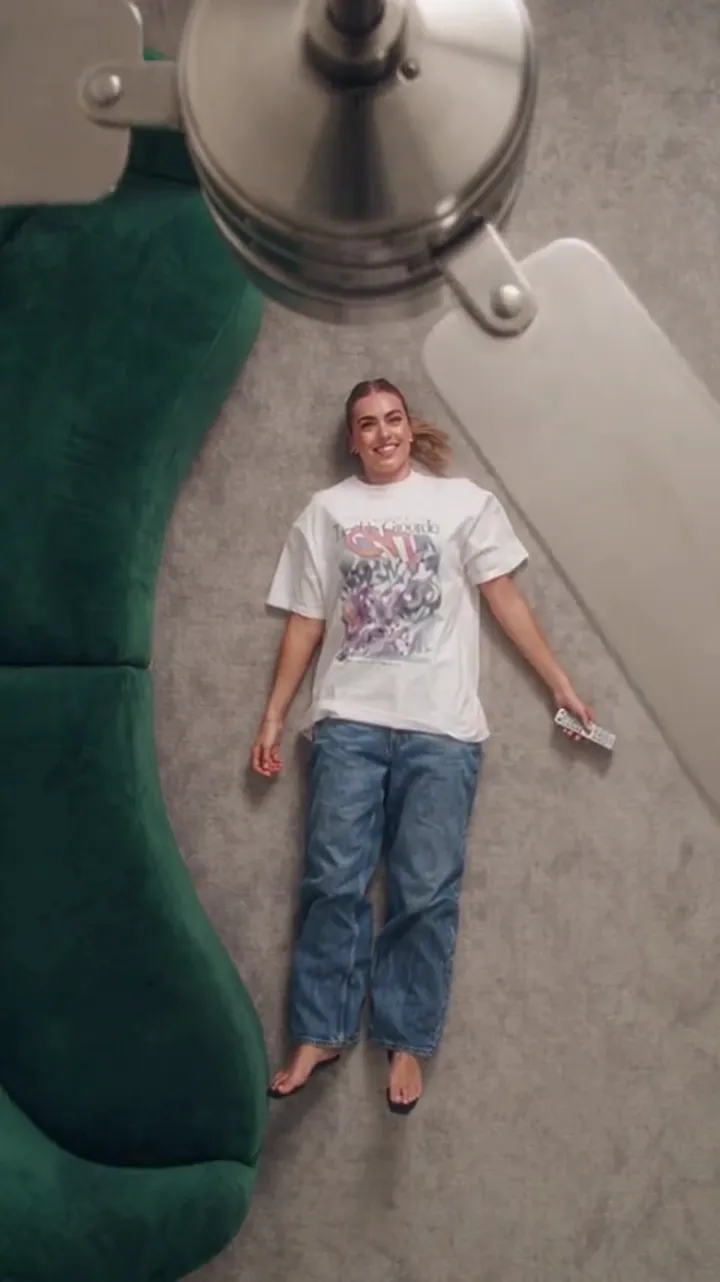
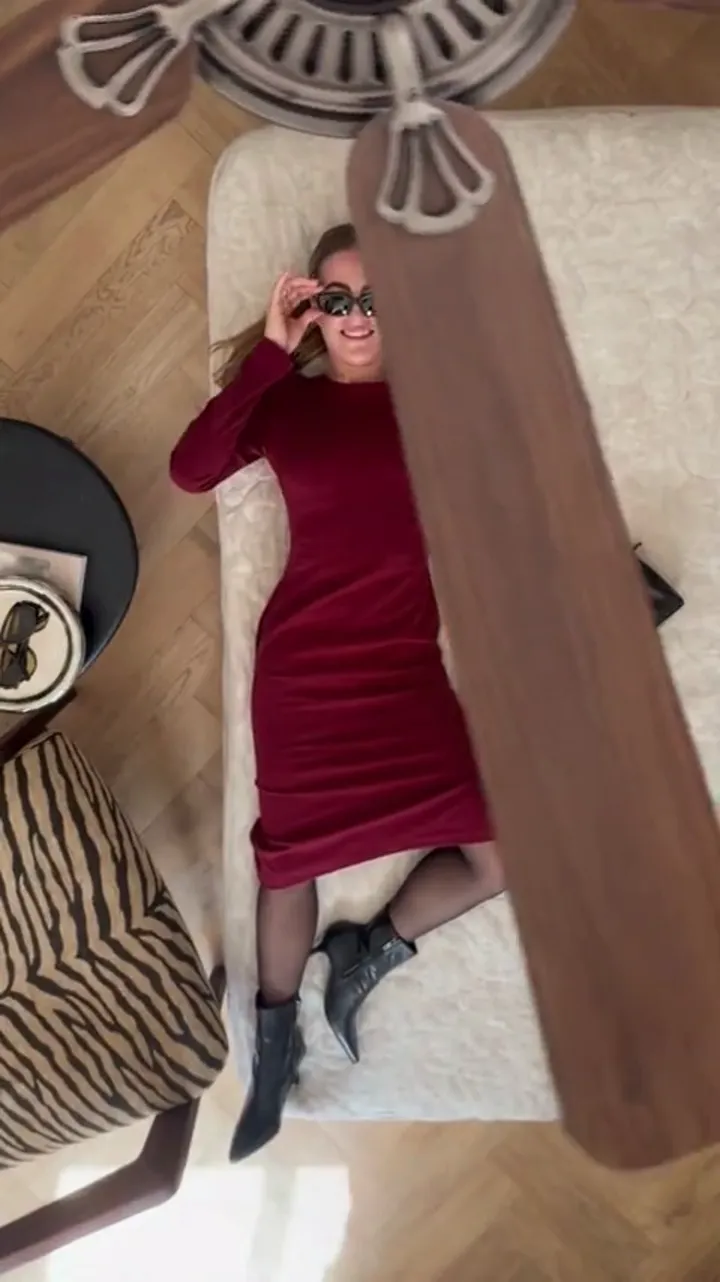
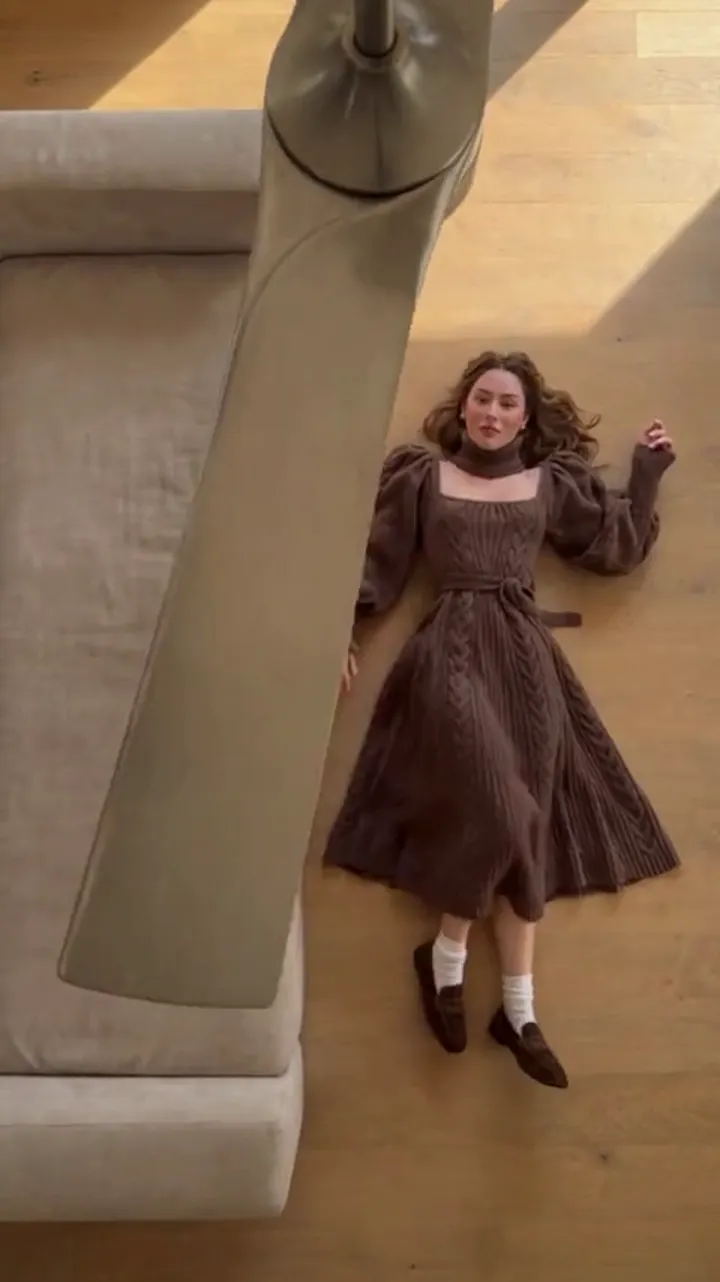
The ceiling fan transition trend is the visual trick where a spinning fan blade sweeps across the frame and, when the frame clears, the person behind it is wearing something completely different. On TikTok and Instagram it arrives as a short vertical clip, usually six to twelve seconds, in which the blade crosses the lens two, three or four times and the outfit changes on every pass. Nothing else in the shot moves: the room stays put, the camera stays locked, and the only thing that changes is the wardrobe.
This page explains what the trend is, where it came from, why the wipe reads as magic rather than as a cut, and why the format settled on a tall vertical frame. It is the background explainer for anyone who wants to understand the effect before making one.
What the trend actually is
Strip away the audio and the captions and the trend is a four-beat loop. A person stands still in a room. A blade passes in front of them. The outfit has changed. The blade passes again, and it changes again.
The whole clip is built around a single piece of grammar: a moving object briefly fills the frame, and a change happens underneath it. The viewer's eye accepts the change because it never sees the moment it happened. There is no dissolve, no visible edit point, and no explanation. The blade does all the covering work.
| Beat | What the viewer sees | What it hides |
|---|---|---|
| Setup | Person posed, room settled, blade in motion | Everything, until the first pass |
| Pass | A blade fills the lens for a frame or two | The exact moment the outfit flips |
| Reveal | Frame clears on the same person, new outfit | The join between the two states |
| Repeat | Blade returns, outfit flips again | Each following change |
The trend is easy to recognise because the structure never varies, only the clothes, the room and the person change. That fixed skeleton is why one clip can look nothing like another and still read as the same idea.
Where the trend came from
The fan transition belongs to a much older family of "wipe transitions" that predates any app: a hand, a doorway, a passing car or a curtain slips across the lens and the scene behind it changes. Filmmakers have used something moving in front of the camera to disguise an edit for as long as cameras have existed. The trick is not new; the prop is.
What the social-media version added was a prop that already exists in millions of rooms. A ceiling fan is fixed to the ceiling, it spins on its own, and its blades naturally cross the field of view of a phone pointed upward or across the room. That makes it a ready-made wipe that needs no rig, no assistant and no editing software beyond a phone's built-in cut.
Why the fan, and not something else
A hand or a swinging door is unpredictable and hard to time. A fan is the opposite. It turns at a steady speed, so the blade crosses the same spot on a reliable rhythm, roughly once per rotation. That rhythm lets a creator stand still and simply wait for the blade, instead of choreographing a movement themselves.
The fan also fills a useful amount of the frame. A blade close to the lens covers a wide, soft streak rather than a thin line, which hides more of the change on each pass and makes the trick forgiving to shoot and to edit.
Why it looks like magic
The effect reads as magic for a simple reason: the cover is fast. A blade sweeping past the camera covers the lens for only a fraction of a second, and the human eye cannot resolve what changed in that window. All the viewer registers is a blur, then a person in new clothes. Because there is no visible cut, the brain does not file it as an edit; it files it as a transformation.
This is the same reason a coin vanishes behind a hand. The cover is believable and the reveal is instant. When a version of the trend fails, it is almost always because the cover was too slow, too small or off-centre, so the eye caught a glimpse of the change and the illusion collapsed.
Why every version is vertical 9:16
The trend lives on vertical feeds, and the format follows the feed. On TikTok, Instagram Reels and YouTube Shorts, the phone is held upright and the screen is taller than it is wide, so a clip shot in 9:16 fills the whole frame instead of sitting in a letterboxed band with black bars above and below.
A tall frame also suits the subject. A standing person fits a vertical rectangle neatly: head at the top, outfit through the middle, floor at the bottom. In a wide frame you either crop the person or waste the sides of the picture on empty room. Vertical framing keeps the outfit large in the shot, which matters when a change has to be readable in a quarter of a second.
Finally, the fan benefits from the tall frame. Pointing the phone upward, a blade enters from the top or the side at a steep angle and sweeps down across the person. That diagonal wipe covers more of the face and body than a horizontal streak would, which is exactly what the trick needs.
Why the outfit changes on every pass
One change can feel like a fluke. Two changes make a pattern. Once the blade has flipped the outfit twice, the viewer understands the rule and starts anticipating the next pass, which is what keeps them watching to the end. So the format repeats the beat rather than stopping after a single reveal.
That repetition is also what makes the clip loop well. When the video ends, it restarts on the same settled frame, and the new pass reads as another turn of the same gag rather than as an obvious repeat. Many creators lean into this and let the last outfit match the first, so the loop is seamless.
It also makes the clip about range. A single change shows one alternative look; three or four changes show a wardrobe's worth in six to twelve seconds, which is more satisfying to watch and gives the viewer something to rewatch. This is the part the outfit-change planning guide is written for.
The two ways to make one
There are two honest routes to a ceiling fan transition, and they differ in what they ask of you.
- Film it with a phone. You set a real fan spinning, point the phone so a blade crosses the lens, record the person in one outfit, then cut on a frame where the blade fills the screen, change clothes, and repeat. The result is genuine footage, but it needs a fan, a room you are happy to film in, and frame-accurate editing on every change.
- Generate it from photos. You upload one clear photo of the person and a photo per outfit, pick a scene and length, and the tool builds the room, the blade wipe and the changes for you. You skip the staging and the editing and get a clean room, but the result is a generated transition rather than a recording, so fine details can drift between passes.
Neither route is better in the abstract. One trades your time and a real room for authentic footage; the other trades credits and a little unpredictability for convenience. The manual-versus-generated comparison walks through the trade-offs in full.
What makes one read cleanly
If you want to judge a version of the trend, the same handful of qualities decide whether it lands:
- A locked camera. Any drift or zoom gives the eye a reference point and reveals the trick.
- A blade that enters early. If the first pass arrives late, attention wanders before the payoff.
- A large, readable outfit change. Grey to darker grey does not register; denim to red does.
- The same person throughout. The face, hair and framing have to hold so the clip reads as one person, not a montage.
- A short runtime. Six seconds for two looks, twelve for three or four.
When all five are present, the clip does its job without the viewer ever thinking about how it was made. When one is missing, that is usually the thing to fix on the next attempt, whether you are filming or generating.
Where to go next
If you want to make one yourself, start with the step-by-step in how to make a fan transition video. If the goal is a clean reveal rather than the mechanics, the before-and-after framing guide covers how to set up the opening and closing frames. And if you want to try the generated route, this tool is the one built specifically for the ceiling-fan wipe — you can start from the main explainer or head straight to the home page.
FAQ
Is the ceiling fan transition filmed or AI-generated?
Both versions exist. Many clips are filmed with a real fan and real outfit changes, and many are generated from a single photo plus outfit references. The visual structure is identical, so an honest version says which one it is.
Why does the trend use a ceiling fan instead of an edit?
Because a spinning blade is a free, reliable wipe that crosses the lens on a steady rhythm. It covers the change for long enough that the eye never sees the join, which is what makes the trick look like magic instead of an edit.
Why is the clip always vertical?
It is built for vertical feeds on TikTok, Instagram Reels and YouTube Shorts, where a 9:16 frame fills the screen. Vertical also suits a standing person and lets an upward-pointing camera catch the blade at a steep, wide angle.
How many outfit changes does one clip show?
Most clips run two to four changes in six to twelve seconds. Two is the minimum for the pattern to read; four is the practical maximum before the clip feels long for the format.
Does the effect need special editing skill?
The filmed version needs frame-accurate cuts on frames where the blade covers the lens. The generated version removes that step entirely, because the tool builds the wipe and the changes for you.